The email
The subject is You've received an offer: followed by the offer title. It names the organization, the compensation when the team included it, any message from them, and the date the offer expires. The link is View and respond to your offer.
The page
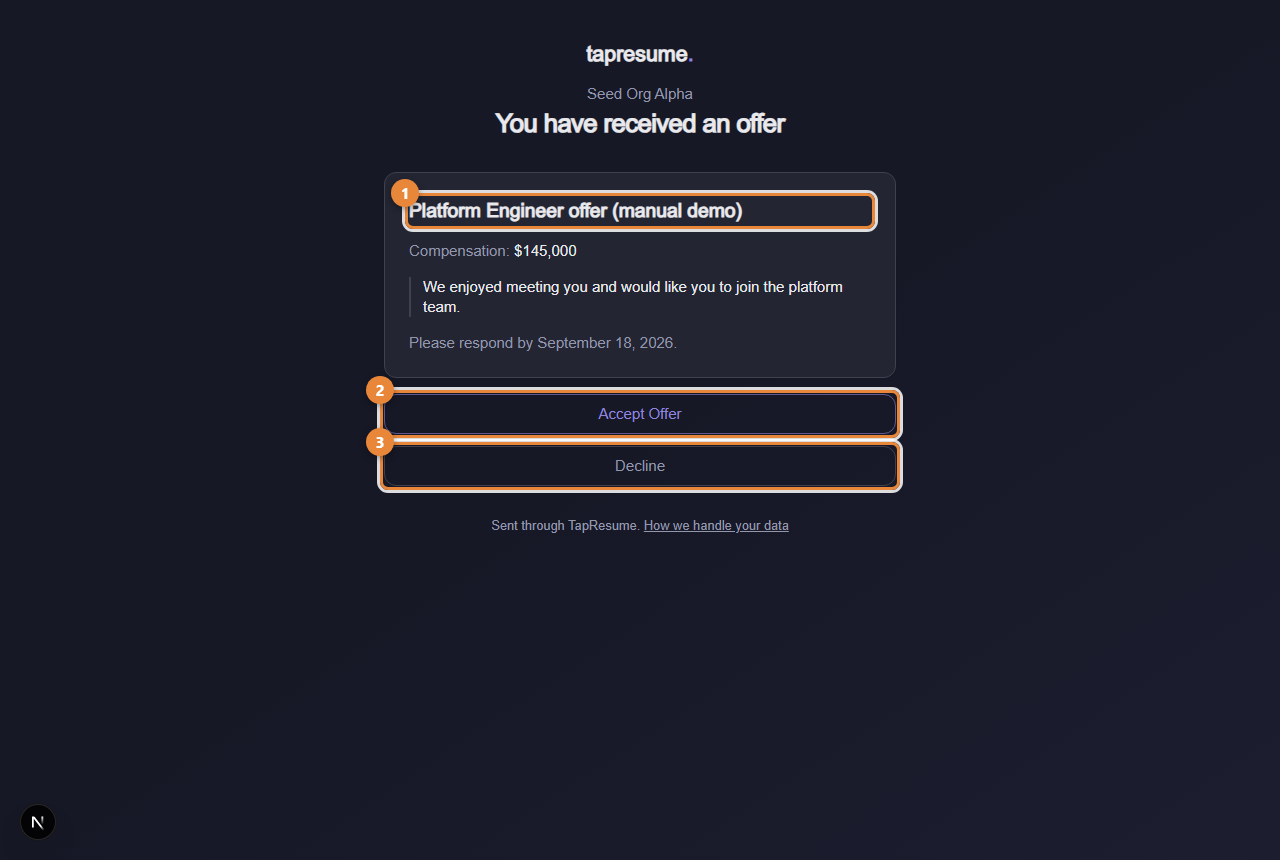
- Marker 1: The offer title
- Marker 2: Accept Offer: a confirmation follows
- Marker 3: Decline: add a note, then confirm
- Click the link. The page shows the offer title (marker 1), the compensation, the team's message, and Please respond by with the expiry date.
- To accept, click Accept Offer (marker 2). A confirmation restates the role, employer and compensation.
- Click Confirm acceptance (marker 3 on the next picture). The page says Offer accepted and the team is told at once. Go back returns without answering.
- To decline, click Decline (marker 3). Add a note if you wish, then click Confirm decline. The page says Your answer is recorded.
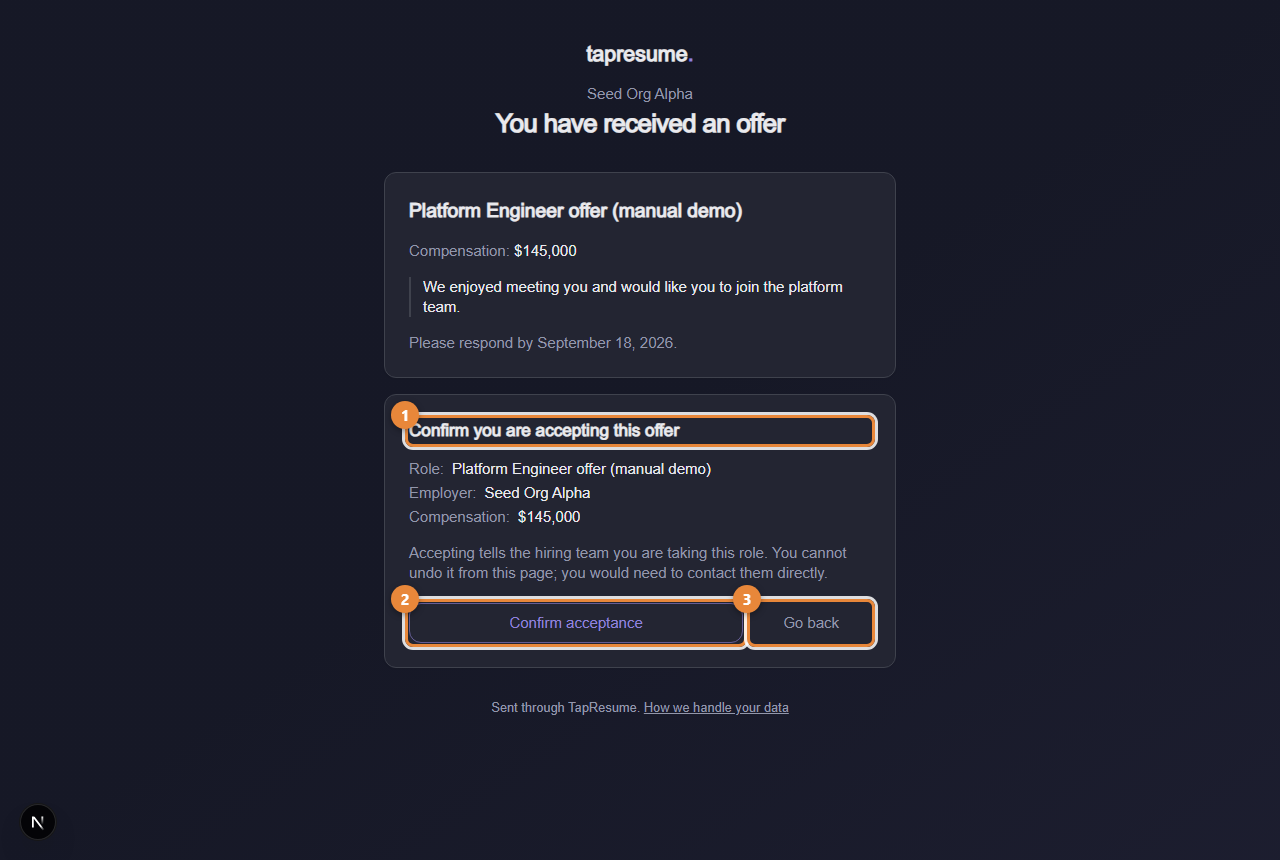
- Marker 1: The confirmation restates the role, employer and compensation
- Marker 2: Confirm acceptance: cannot be undone from this page
- Marker 3: Go back: return without answering
When the offer needs a signature
Some offers are accepted by signing them. The confirmation then says so, and the button reads Continue to sign. It opens the signing page; the offer counts as accepted only once the signature is complete.
After you answer
The link shows You have already answered this offer. Accepting cannot be undone from the page; contact the hiring team directly if you need to change your answer. The team marks you as hired and follows up outside TapResume with the contract and start date.
Common questions
The offer expired before I answered. The page says This offer has expired. Contact the hiring team directly if you are still interested.
It says the offer was replaced. A newer offer was sent to you. Open the most recent email from the team.