When you see this
A team can ask for a role introduction. You get an email with the subject Video Introduction requested for the role, and the request also appears on Today. Introductions belong to one role, so the page opens from that role: the email button Review the request, the Role introduction button on Submission settings, or Career, then Introduction.
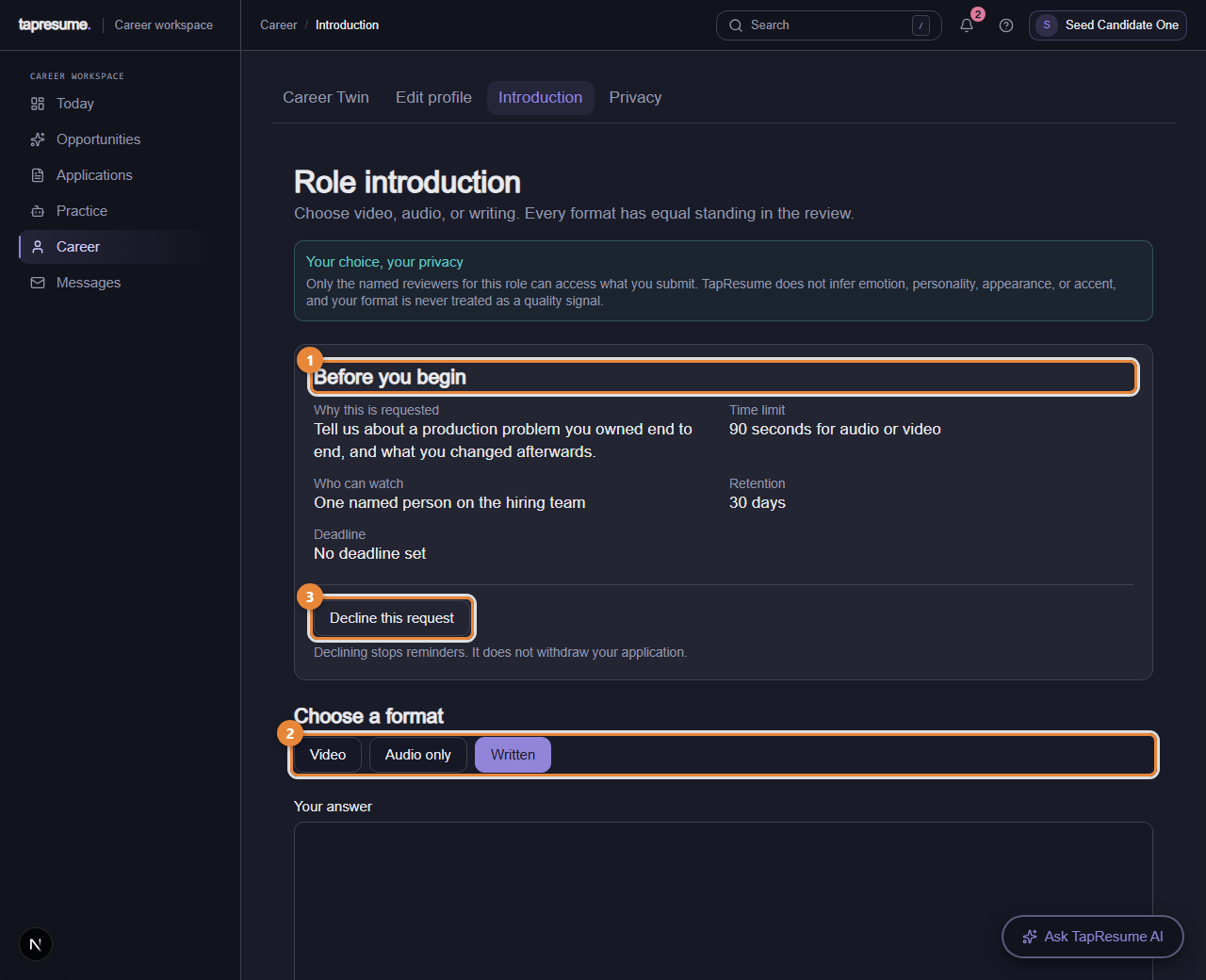
- Marker 1: Before you begin: purpose, time limit, who can watch, retention, deadline
- Marker 2: Choose a format: Video, Audio only, or Written
- Marker 3: Decline this request
Before you begin
The page shows, before you record anything (marker 1): Why this is requested, the Time limit in seconds for audio or video, Who can watch (the named people on the hiring team), Retention in days, and the Deadline.
Steps
- Under Choose a format (marker 2), click Video, Audio only, or Written. The role lists which alternatives it accepts; choosing one does not disadvantage you.
- For video or audio, click Start recording, speak, and click Stop recording. Recording stops by itself at the time limit. Nothing is uploaded until you submit. Play it back; Discard and record again throws it away, and Upload a file uses a recording you already have (WebM, MP4, MP3, OGG, or WAV, 50 MB or smaller).
- For written, type your answer in Your answer.
- When the role asks for it, tick the box saying you understand the purpose, who can review it, and how long it is kept. Click Submit response. The page confirms Your response was submitted.
Changing or deleting it
Open the same page. Replace response lets you record or write again, and Submit replacement sends it in place of the earlier one. Delete permanently asks you to confirm; the recording is gone and cannot be recovered.
Declining
Click Decline this request (marker 3). Declining stops reminders. It does not withdraw your application.
Common questions
The page says "Open this from an application". The page needs to know which role. Open it from the email, from Submission settings, or from Today.
It says "No introduction requested". This employer has not asked for one for this role. There is nothing to submit.
The browser cannot record. Allow camera or microphone access when asked, or upload a file, or choose the written format.