Opportunities
Opportunities lists roles explained against your own evidence: what your profile says you can do and what you said you want. Each card shows the role and the signals behind the suggestion. Your filters always win over the suggestions.
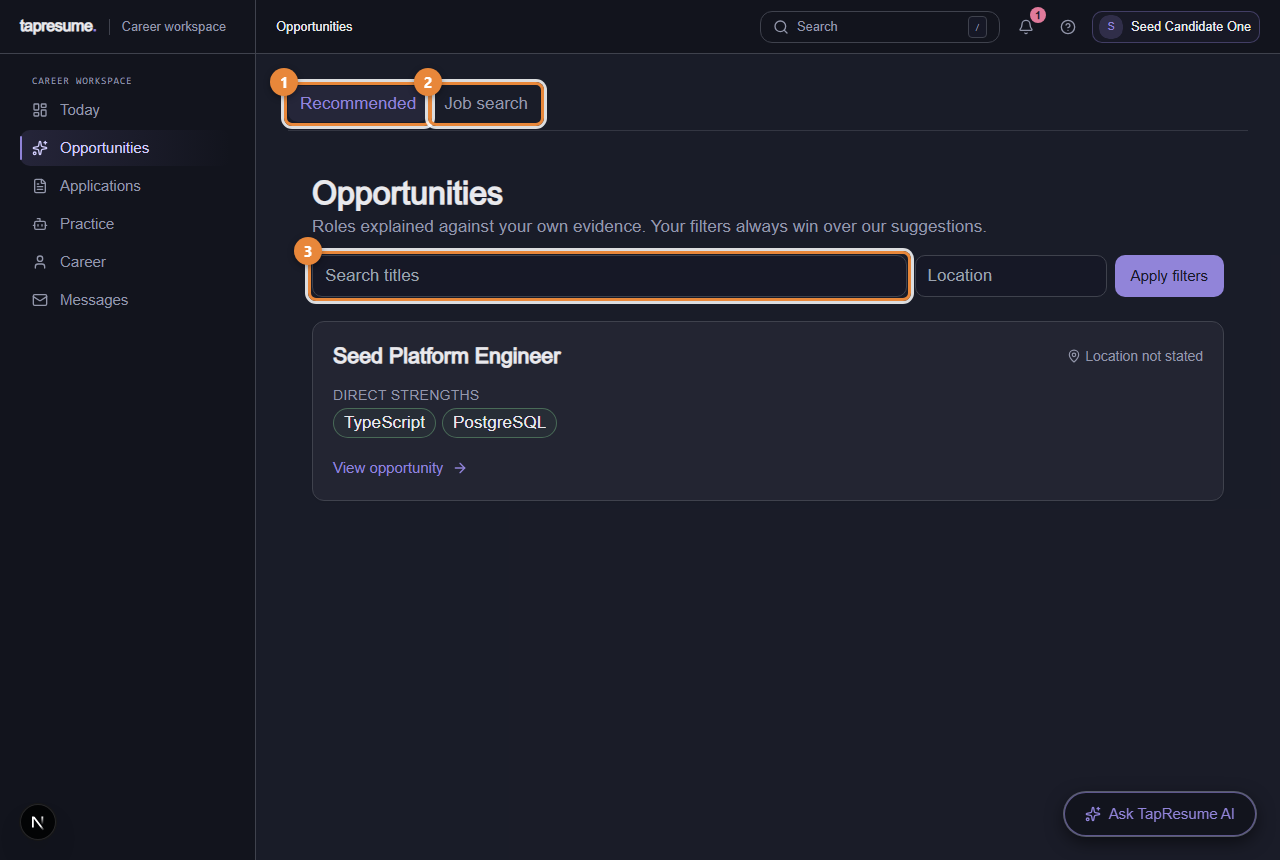
- Marker 1: Recommended: roles explained against your evidence
- Marker 2: Job search: every open role
- Marker 3: Search role titles
- Open Opportunities in the left navigation; the Recommended tab (marker 1) is the list.
- Search by role title (marker 3) or filter by location.
- Click a card to open the opportunity. Its page has an Overview with the role brief and Your Fit Map, an Application section, Messages, a private Preparation checklist, and the candidate-visible Process. A Private workspace on the right holds your tracking status and notes that only you can see.
- To apply, click Review application, add a note to the hiring team if you want, and click Submit application. The dialog says exactly what is shared: your profile and this application, never your private notes.
Suggestions come from your profile. Adding your resume and your preferences makes them better.
Job search
The Job search tab (marker 2) lists every open role you can apply to. The page is called Find Jobs.
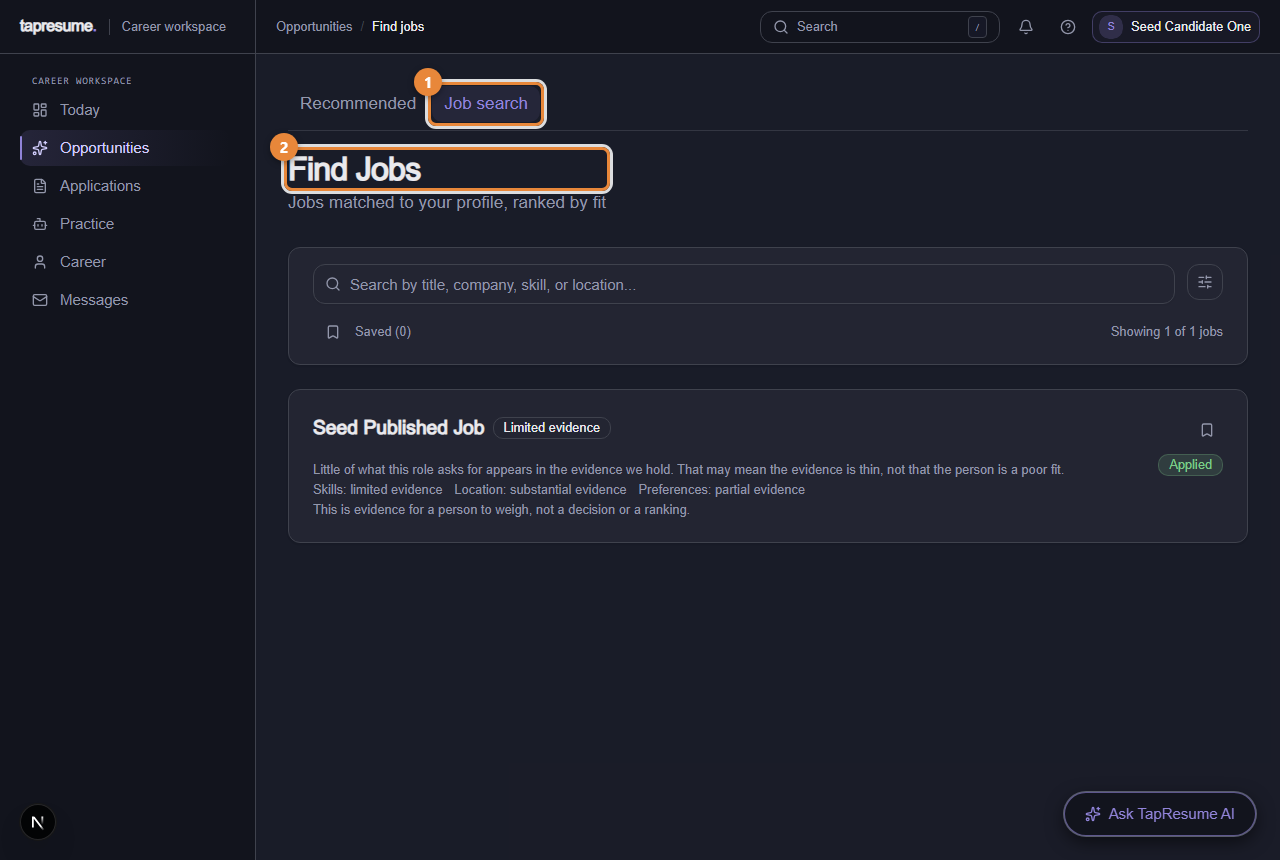
- Marker 1: Job search tab
- Marker 2: Find Jobs: roles matched to your profile
- Open Opportunities, then Job search.
- Type a title, company, skill or location in the search box, or filter by Work Mode and Job Type, and sort.
- Click Apply on a role. The dialog Apply to the role takes an optional note; click Submit Application. The bookmark on a card saves the role for later.
Applying from here
Applying from Opportunities or Job search uses your profile and resume; you add only a note. The application then appears under Applications like any other.
Common questions
Why am I suggested roles in another city? Set your location and whether you would relocate on Edit profile; suggestions follow that.
Can an organization see that I saved their role? No. Saved roles are yours until you apply.