Where they are
The foot of the public site, the sign-up and application forms, and the pages opened from email links all point to the legal notices. They open without signing in, and each one links to the others across the top.
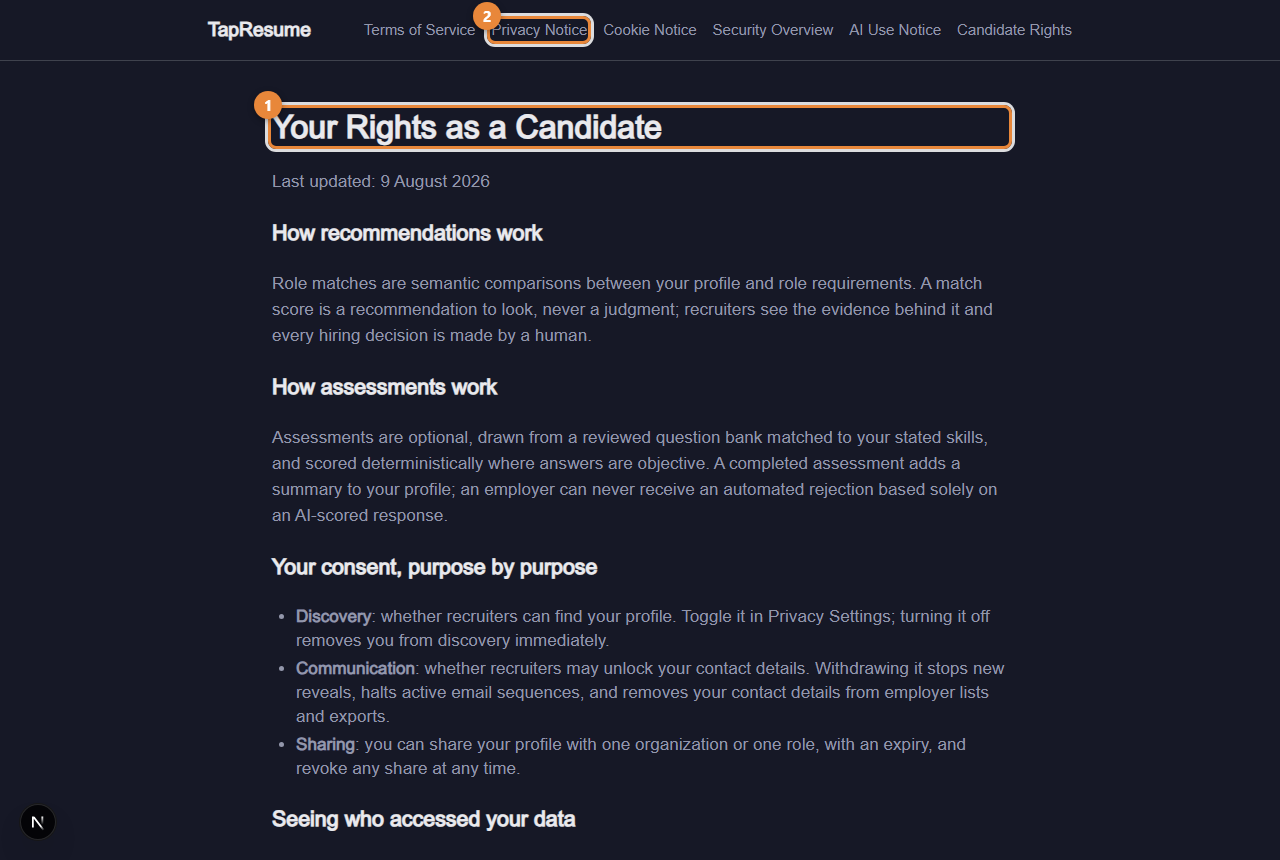
- Marker 1: Your Rights as a Candidate
- Marker 2: The other notices, linked across the top
| Notice | What it covers |
|---|---|
| Terms of Service | What the service is and the terms of using it |
| Privacy Notice | What is collected, how consent controls what employers see, retention and deletion, export, the processors used, and how to contact us |
| Cookie Notice | The cookies used, the ones not used, and contact |
| Security Overview | Access control, data protection, auditability, and how to report a concern |
| AI Use Notice | Where AI is used, what AI never does, how your data reaches models, and how to correct AI output |
| Candidate Rights (marker 1) | How recommendations and assessments work, your consent purpose by purpose, seeing who accessed your data, retention, export and deletion, and questions and appeals |
The short version for candidates
- Recommendations and assessment results are evidence a person reads. No decision about you is made automatically.
- You consent purpose by purpose, and can withdraw each purpose on your privacy pages.
- You can see every time an employer revealed your contact details or downloaded your resume, with the reason they gave.
- You can export everything held about you, and ask for deletion.
Where to act on them
The switches and buttons behind these rights are on Privacy in the left navigation (sharing, consent, access history, export, deletion) and in the privacy settings reached from any email footer (see Email preferences and stopping email).
Common questions
Who do I write to with a question or an appeal? The contact section of the Privacy Notice and the questions and appeals section of Candidate Rights give the address. For anything about a specific role, use Messages.