The email
| Item | Detail |
|---|---|
| Subject | Your TapResume sign-in code |
| When | Each time you enter your email on the sign-in page and click Continue |
| Contents | One line, Enter this code on TapResume to sign in, then the code in large digits |
It says the code expires shortly and can be used only once, and that you can ignore the email if you did not request it. The code is never in the subject line.
What to do
- Go back to the sign-in page, which is waiting on the Sign-in code step.
- Type the digits and click the button under the field (see Sign in with a code or a password).
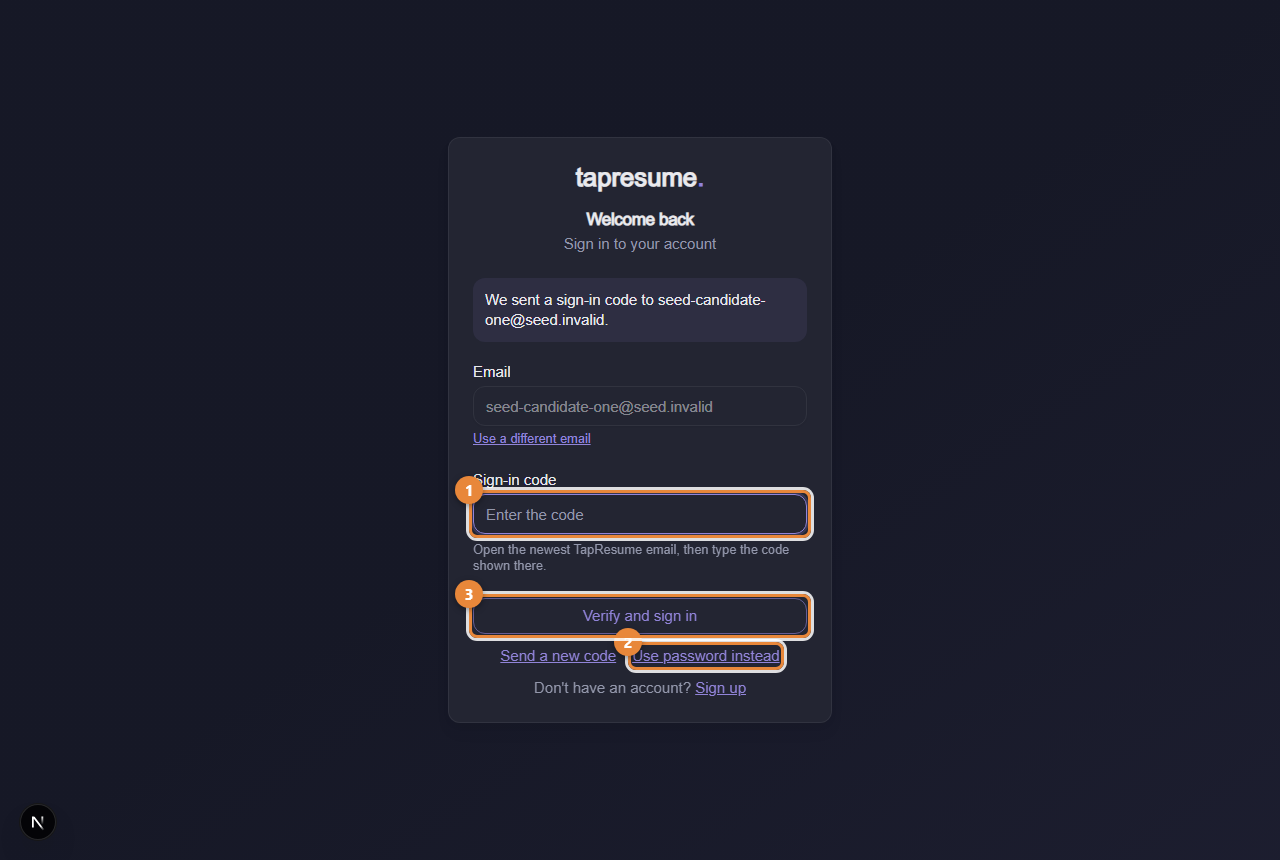
- Marker 1: Sign-in code: type the digits from the newest email
- Marker 2: Use password instead: switch to your password
- Marker 3: Verify and sign in
Common questions
I got two emails. Only the newest code works. The page says so when a code was requested recently.
I did not ask for this. Someone typed your address on the sign-in page. Without the code they cannot get in. Ignore the email.
No email arrives. Codes are only sent to addresses with an account. If you have not claimed your profile, use the claim link from your invitation first.