The two emails
| First reminder | Final reminder | |
|---|---|---|
| Subject | A few things you could add to your profile | Your optional TapResume profile follow-up |
| When | A few days after you apply, if your profile still has gaps only you can fill | Five days after the first, if the gaps remain |
| Button | Update your profile | Review your profile |
| Unsubscribe | Unsubscribe from follow-ups at the bottom | The same |
Both start by saying that your application is with the hiring team and that nothing is needed for it. They then list up to four (then three) profile items, each with what the item is used for. The final reminder says plainly that no further profile reminder will be sent for this application, and none is.
What to do
Nothing, if you prefer. To add the items, click the button, which opens My Profile, then Edit Profile, fill in what you want, and click Save.
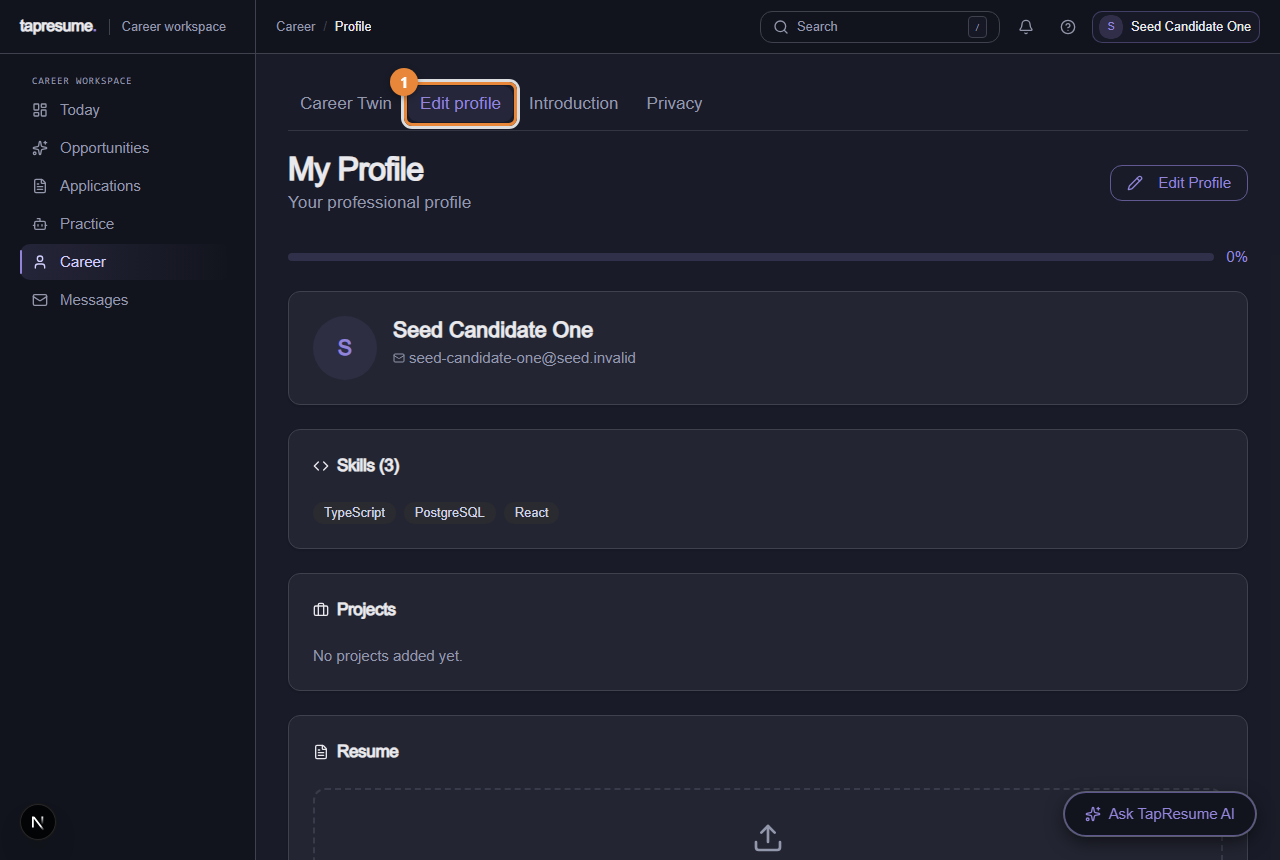
- Marker 1: Edit profile tab
Stopping them
Click Unsubscribe from follow-ups. A page called Email preferences confirms You have been unsubscribed. That stops these reminders and any other recruiting email from the organization to your address. Your application is untouched.
Common questions
Is my application incomplete? No. It was submitted and is with the team. The reminder is about your TapResume profile, which saves you repetition in future applications.
I never got a reminder. They are sent only while your profile has gaps, only inside the organization's sending hours, and never if you unsubscribed.