Your result
When scoring finishes the page says Assessment completed (marker 1) and shows your result as a number out of 100 (marker 2), with the assessment name and version under it. The text beside it says what the number is: evidence about the competencies covered, not a rank, a badge, or a hiring decision.
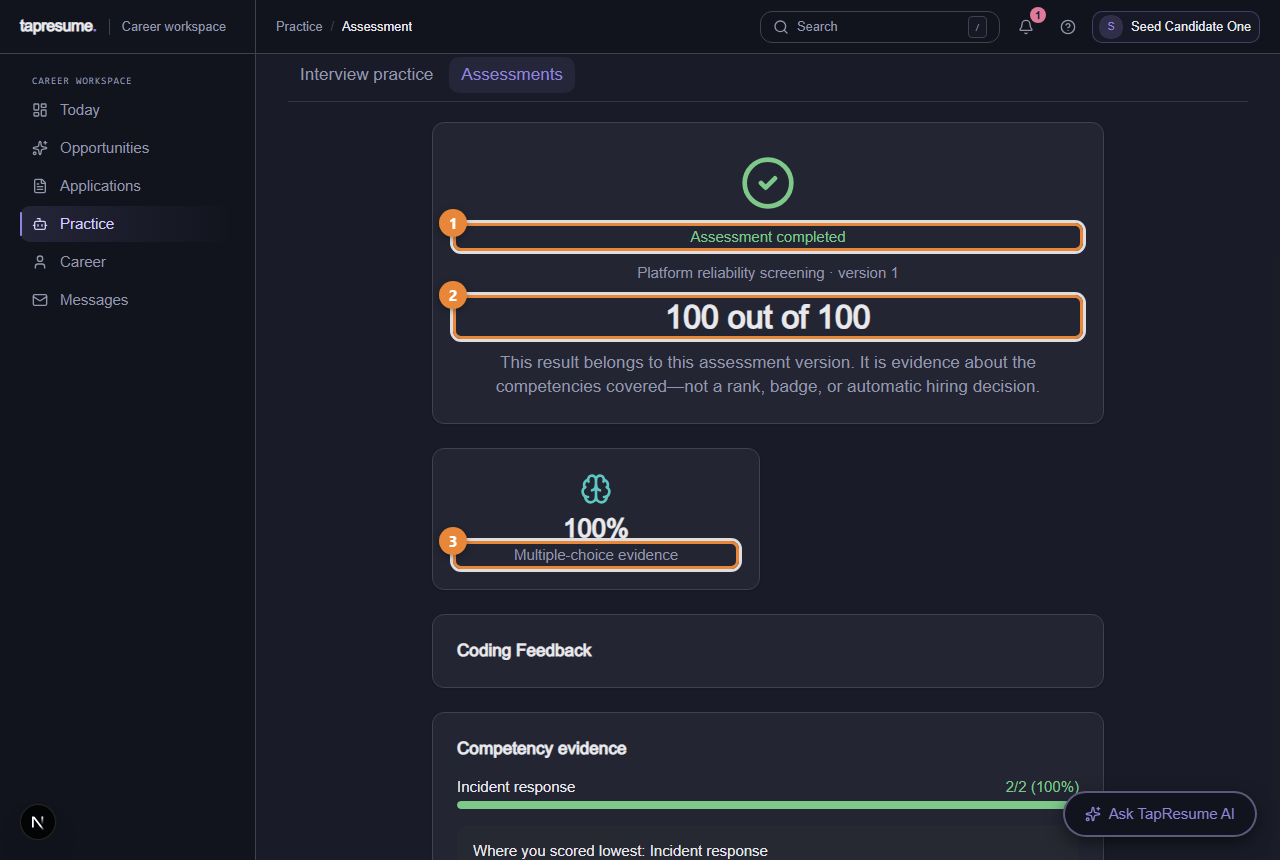
- Marker 1: Assessment completed
- Marker 2: Your result out of 100
- Marker 3: Multiple-choice evidence: the questions section as a percentage
Under the result:
- Multiple-choice evidence and, when there was a coding section, Coding evidence, each as a percentage. With coding, the questions count for 40 percent of the result.
- Coding Feedback per problem: tests passed, code quality, and short notes on strengths and weaknesses.
- Competency evidence (marker 3): a bar per competency with how many you answered correctly, and a note on the area where you scored lowest.
- A retake date, when the assessment allows one.
If the assessment included written answers, the page instead says Your answers are recorded: a named person on the team scores them against the criteria you saw, and your result appears here once they have. Nothing about it is decided automatically.
On the Assessments page
The request card now says Completed, with View your result. The result was shared with the requesting team for the allowed use you agreed to, and for nothing else.
What the hiring team sees
Your result, as evidence beside your application in the role. A person reads it. It never moves you forward or out on its own.
Attempts under review
If something about an attempt needs a second look, a review opens and a section called Attempts under review appears on the Assessments page. It shows:
- What was observed, in the same words the reviewer reads, and each recorded signal.
- The date before which your attempt cannot be discarded, so you have time to answer.
- A Your response box. Type what happened in your own words and click Send response. You can add to it until a decision is recorded.
When a person decides, their name, the date and their reason appear on the card: Your attempt stands or This attempt was not counted. If a retake is offered, a fresh request appears above.
Time lost to an outage
If your connection dropped during the attempt and the time ran out, the Time expired page explains what was measured and, when it applies, offers Restore N minutes and continue. Click it to get those minutes back and carry on where you left off. The minutes come from the recorded gap, so keeping the page open during a drop is what makes them recoverable.
Common questions
My result is lower than I expected. The Competency evidence section shows where. If the area matters for the roles you want, it is the one to practise before a retake.
Can I take the same assessment again? Only when the page shows a retake date, or when the team sends a new request.
Who decided my attempt did not count? The card names the person and gives their reason. Anything you said during the review is shown with it.