Interview practice
Open Practice, then Interview practice. The page is private: your practice answers and the feedback are never shared with employers.
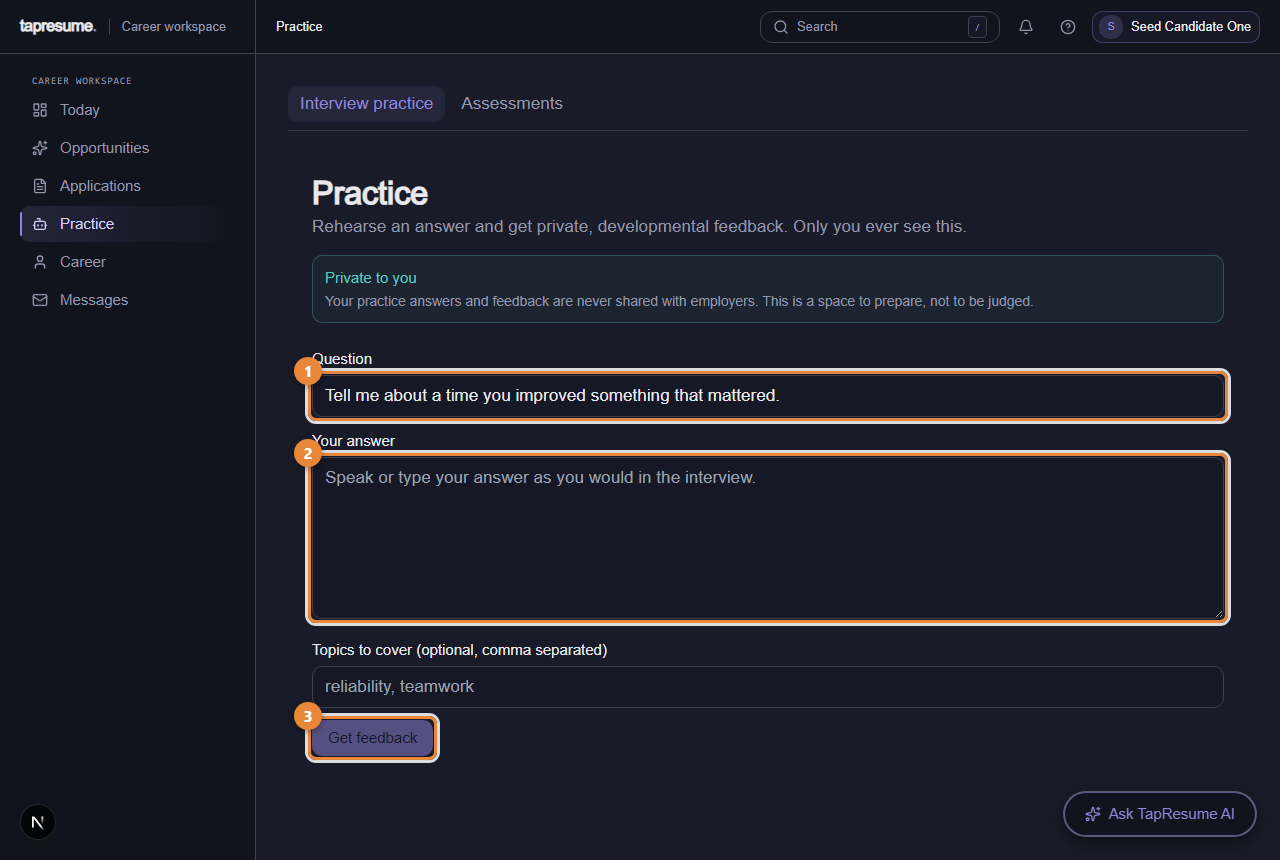
- Marker 1: Question: edit it or keep the suggestion
- Marker 2: Your answer
- Marker 3: Get feedback: private scores and notes
- Edit the Question (marker 1) or keep the suggested one.
- Type Your answer (marker 2) as you would say it in an interview.
- Optionally list Topics to cover, comma separated.
- Click Get feedback (marker 3). After a moment, Your feedback shows a score out of 100 for Structure, Relevance, Clarity, Concision and Evidence, each with a short note, and an overall coaching signal.
Change the answer and click again as often as you like.
The skills diagnostic
On Practice, then Assessments, below any employer requests, is Skills diagnostic. It is not asked for by any employer. It adds structured skills evidence to your own profile, and you decide whether to take it.
When a reviewed diagnostic matches the skills on your profile, the page shows its name and version, then the same preflight an employer request has: Purpose, Time and sections, Accommodations, Integrity and recovery, the competencies covered, and Privacy and use.
- Read the preflight.
- Tick the consent box.
- Click Start diagnostic. Not now leaves without starting. The diagnostic then runs exactly like an employer assessment (see Sitting the assessment).
When you have completed one, a Diagnostic completed card shows your result out of 100 and the date.
When no reviewed diagnostic covers the skills on your profile, the page says so and offers Review profile skills, which opens Edit profile.
Common questions
Does an employer see my practice answers? No. Only you.
Does the diagnostic result go to employers? It is stored as evidence on your profile, which organizations you share your profile with can see. Privacy lists them and lets you stop sharing.